Welcome to the world of B⭐RP animal roleplay. To help make your transition from four to two legs easier, a couple of our more experienced animal roleplayers have put together this guide. If, after reading this, you have additional K9-related questions, please open a 'Support Ticket' via the 🎫⋮create⋆ticket channel in the B⭐Discord. Alternatively, use the ┃k9-chat in the B⭐RP Emergency Services Discord.
Also, a big thank you to Max (K9 Layla) and K9 Zoe for helping create this guide.
¶ CHECK OUT THE RULES
We strongly encourage anyone roleplaying as an animal to read the B⭐RP Animal Guidelines. Before creating your animal character, you have to agree to abide by these. The Staff Team will operate on faith, assuming a “Yes, I have read them” means precisely that. They are, however, important. Players caught violating these animal rules or roleplaying unrealistically may be temporarily suspended or have their privileges revoked pending administrative approval. Severe violations may result in the deletion of a player's animal character and permanent removal from the animal program. We don't want that, so give them a read. In addition, while roleplaying as an animal, players are still subject to the B⭐️Community Rules and B⭐️TOS.
¶ DISCORD
All S.A.L.E. and S.A.M.S. K9 will be added to the B⭐RP Emergency Services Discord. K9s are not allowed to type in any of the IC channels. Dogs and cats are generally not known for their typing skills, and it would be somewhat unrealistic for them to start typing sentences/paragraphs and joining in discussions as their human counterparts do.
This is, however, a roleplay server, and each dog is controlled by a player who might need to convey information to their fellow roleplayers or ask questions. Because of this, several K9-specific channels are provided, and K9s are allowed to socialize OOC with their friends and fellow roleplayers.
K9s are allowed to type/chat in the following channels:
By the same reasoning, K9 should not join any IC voice channel and talk/bark. Some departments have IC meeting rooms to facilitate the continuation of RP in situations where unexpected server issues would otherwise halt an important meeting, etc. We do, however, understand that some instructions are best given over voice or in an OOC setting. Advice on setting up keybinds, use of K9 in-game mechanics, etc. For this purpose, all K9s and those responsible for training and helping them get up and running have access to the ┃K9 Setup (OOC) voice channel in the B⭐RP Emergency Services Discord, which can be used as necessary.
¶ SOUNDBOARDS
Soundboards are not a requirement to roleplay as a K9, but they are strongly encouraged. The addition of sounds to communicate feelings can elevate the roleplay for everyone. Soundboard-wise, everyone has their preference. Do some research and find one that suits you. You can also ask other K9s in ┃k9-chat-ooc for advice on what works for them.
At a minimum, we would suggest adding the following sounds to your soundboard:
- Bark
- Growl
- Whimper/Crying
Some good additional sounds would include:
- Howling
- Drinking
- Eating
¶ Communicating Issues With Soundboards
In the Getting Started Guide, we include some commonly used terms for discussing real-world interruptions or issues affecting the game in a roleplay-friendly way. As a K9 roleplayer, other roleplayers might try to communicate that there is an issue with your soundboard by telling you your ‘barkbox’ is broken. So, if you hear this, you know it's malfunctioning and you can fix the problem.
¶ Communicating With Barks
In B⭐RP, to allow for some communication between humans and their animal counterparts, there is a universal bark pattern as follows:
1 Bark = Yes
2 Barks = No
3 Barks = Maybe / Unsure
¶ EMOTES/KEYBINDS
Emote/keybind additions are a must for K9. During roleplay, you will find yourself using the same emotes time and time again, and being able to use animations or props by hitting one button and not having to type the same thing each time is extremely useful.
Keybinds are done through the F8 menu. When you press the F8 key, you should see a text box at the bottom of the drop-down where you can type. The Keybind formula is as follows:
Bind keyboard "[key]" "[emote]"
For example, if you want to play the beg emote every time you press ‘7’ on your keyboard, you would type the following in the F8 text box:
Bind keyboard “7” “e bdogbeg”
A complete list of available keys can be found HERE. Check what a key does before binding it, or you might find your character in some odd situations!
Accidental keybinds can be undone by typing the following in the F8 text box:
UnBind Keyboard "[key]"
¶ Important Emotes
As a K9 working for S.A.M.S. or S.A.L.E. departments, the following are emotes you will use regularly during roleplay:
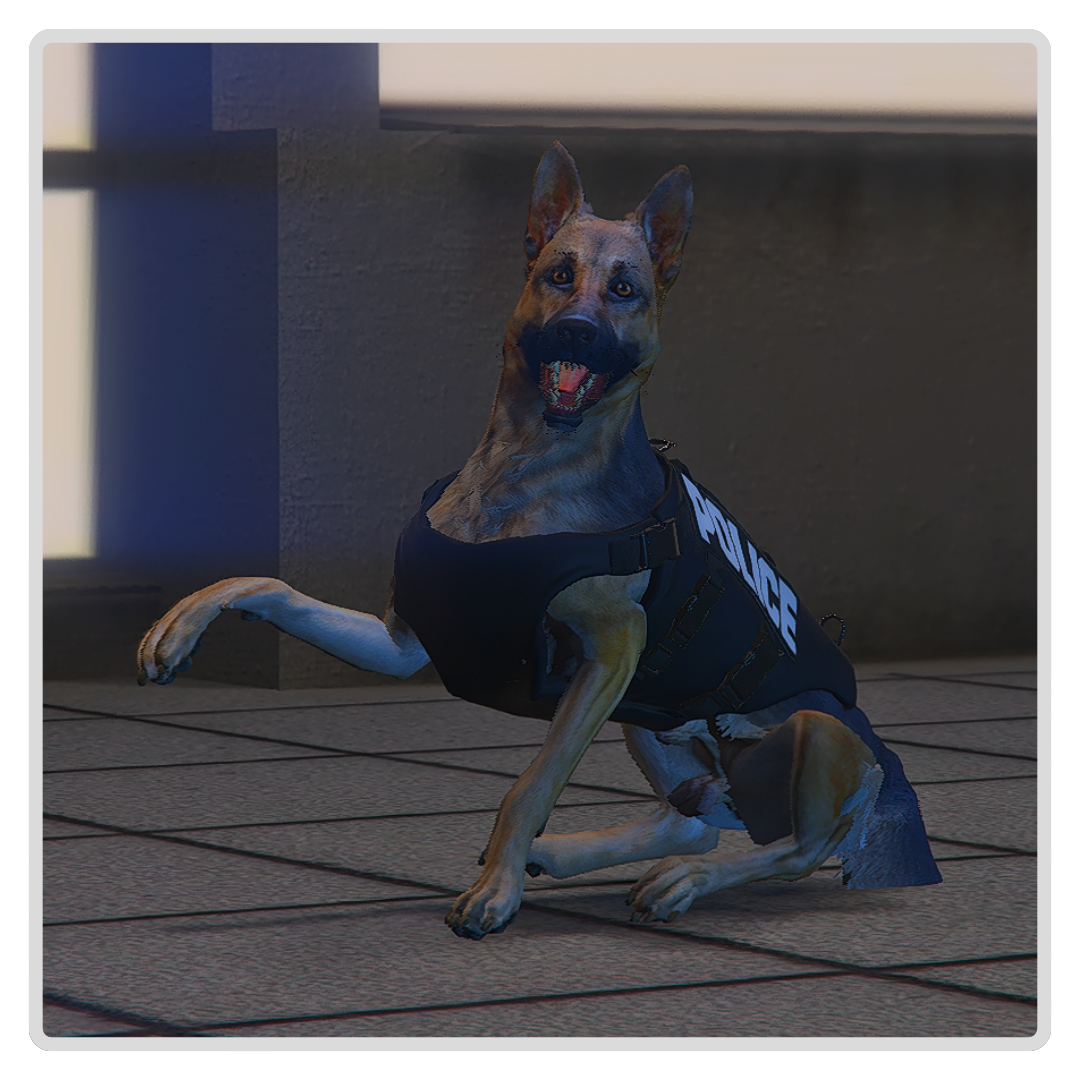 |
EMOTE - BEG 2
To Set Up This Keybind - Add The Following To F8 |
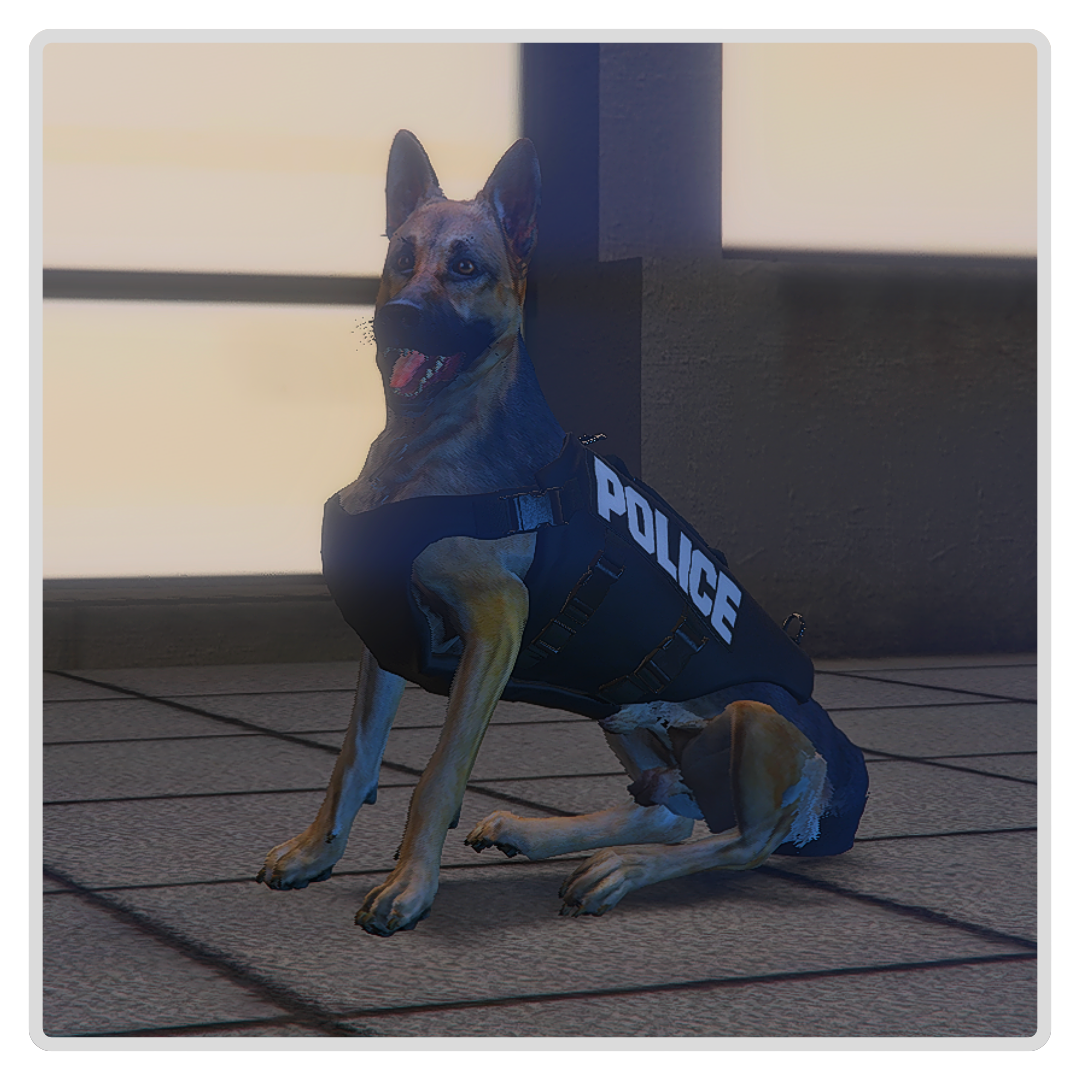 |
EMOTE - SIT
To Set Up This Keybind - Add The Following To F8 |
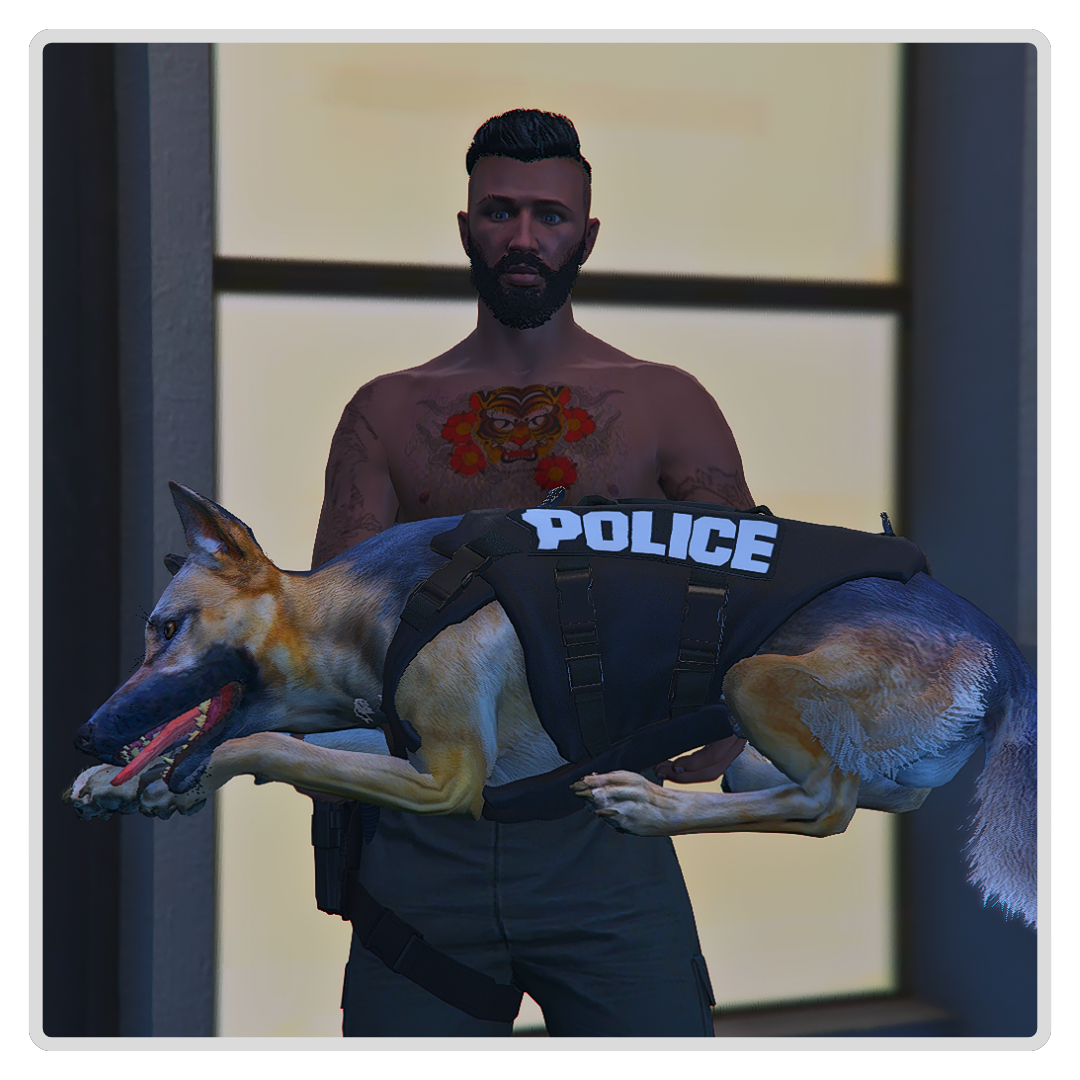 |
EMOTE - CARRY BIG DOG To Set Up This Keybind - Add The Following To F8 |
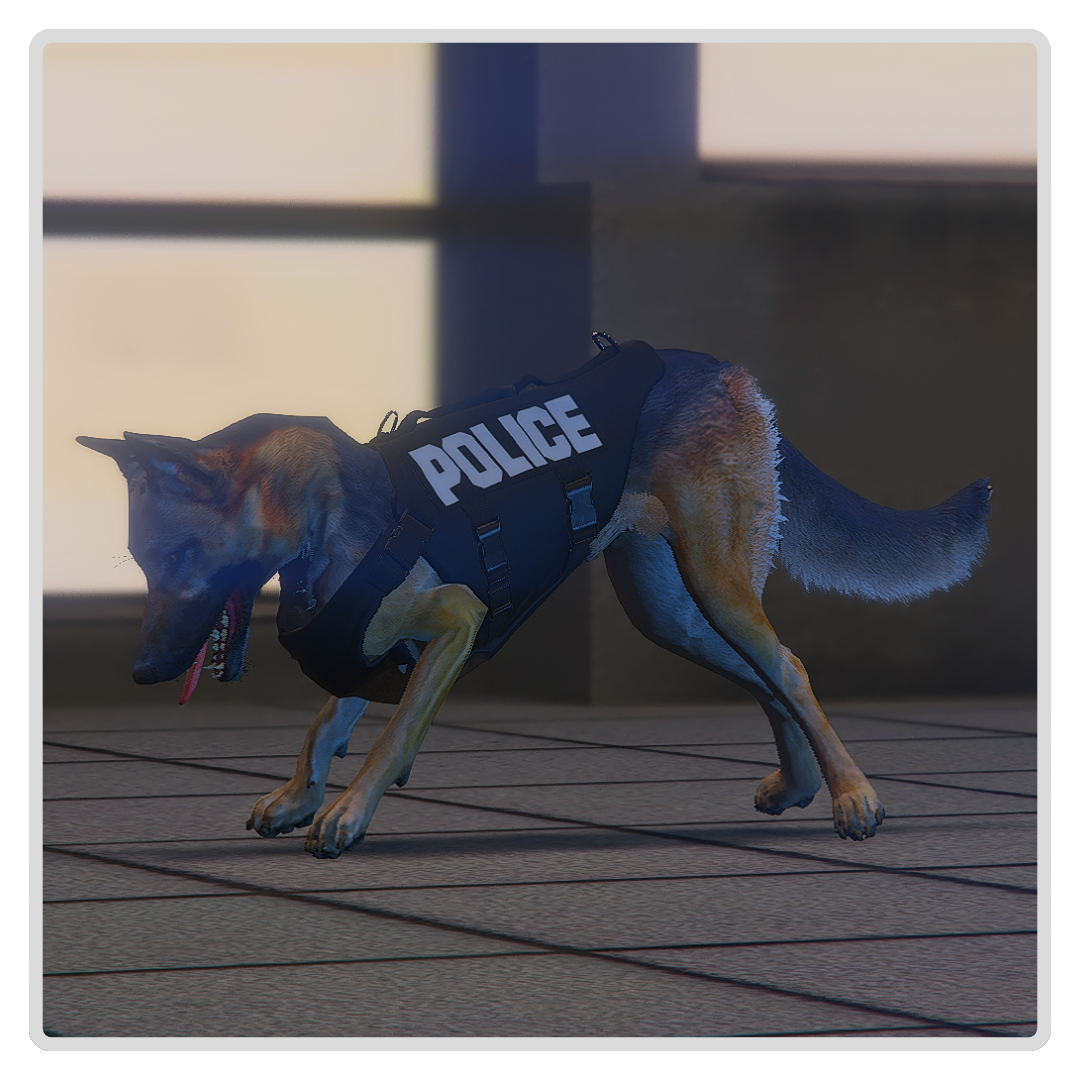 |
EMOTE - INDICATE LOW
To Set Up This Keybind - Add The Following To F8 |
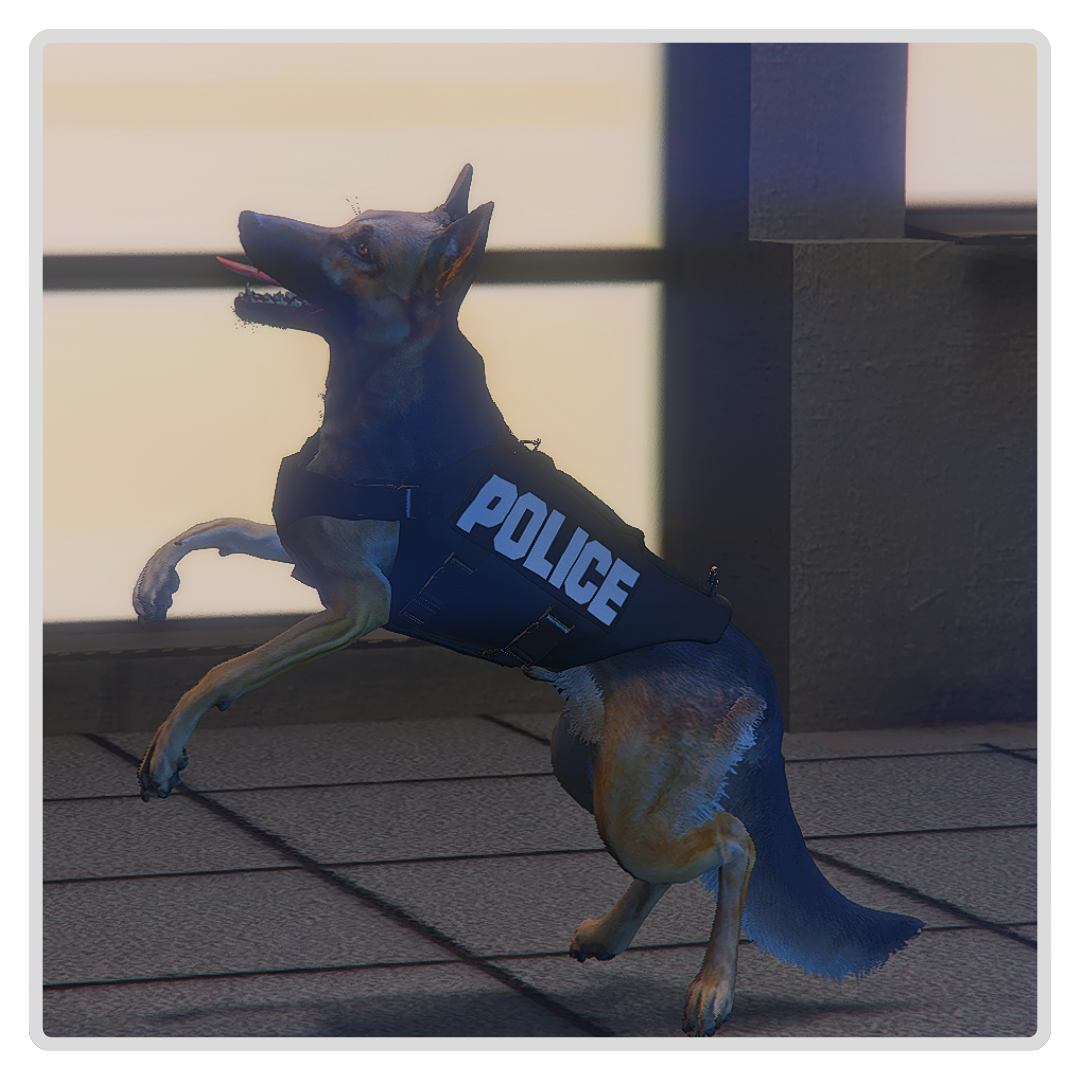 |
EMOTE - INDICATE HIGH
To Set Up This Keybind - Add The Following To F8 |
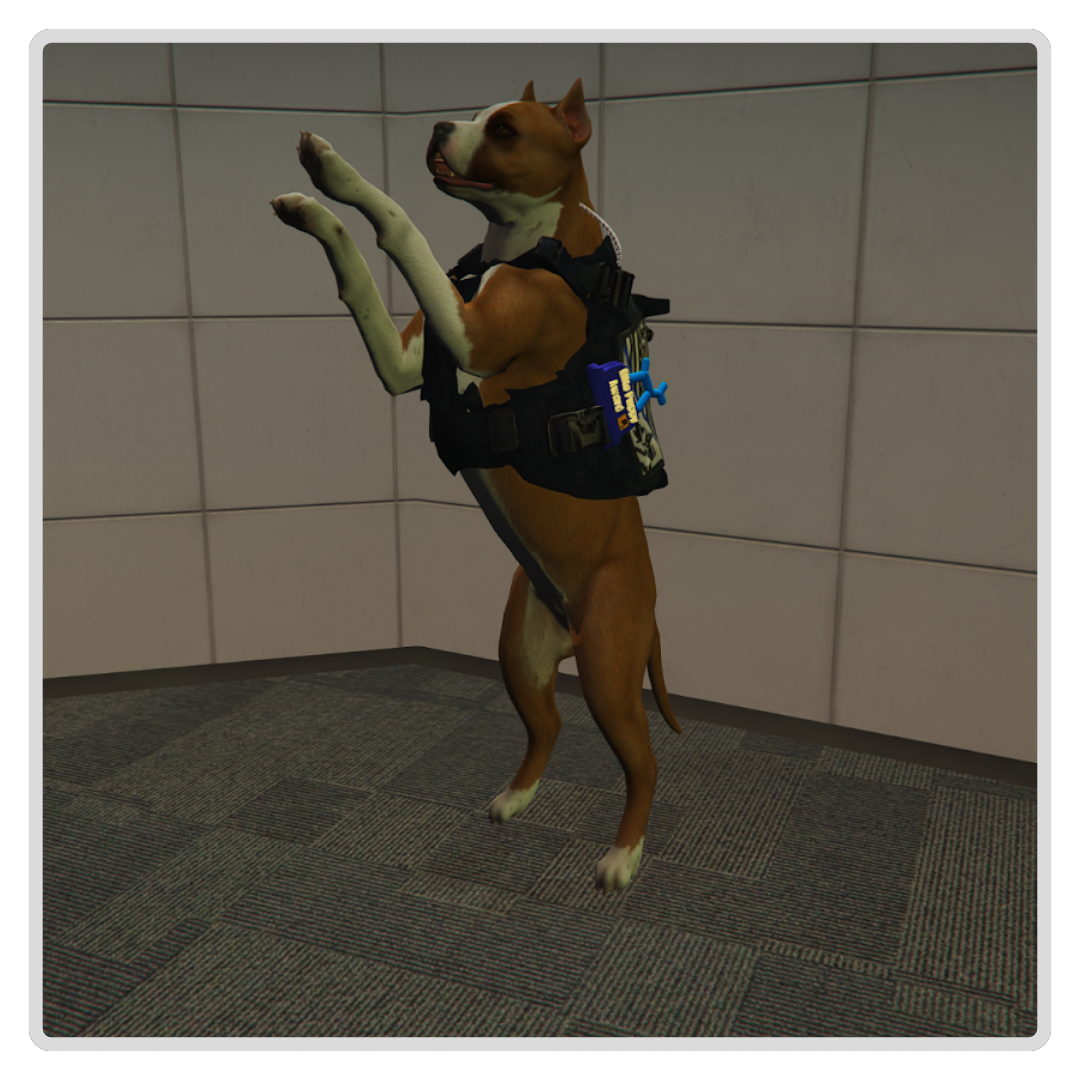 |
EMOTE - INDICATE BEG When the K9 is jumping and pawing a player or their handler, it could indicate that they are happy or they are saying “Thank you”. To Set Up This Keybind - Add The Following To F8 Bind Keyboard “[Key]” “e bdogbeg” (For Big Dogs) |
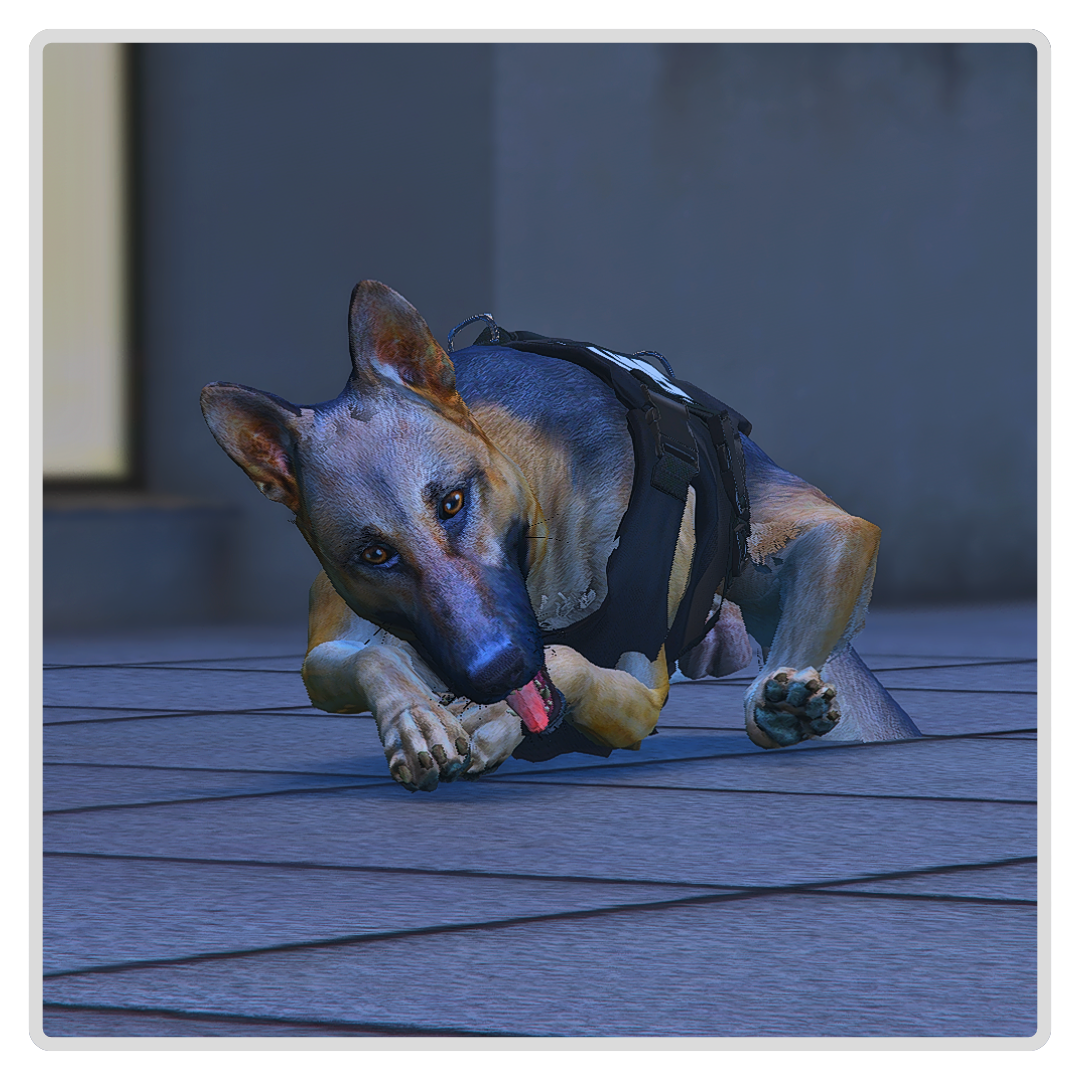 |
EMOTE - SLEEP
To Set Up This Keybind - Add The Following To F8 |
¶ Sniffing A Player
When the K9 handler gives their K9 the command to sniff a person, you can look at the person to be sniffed and select the option "Sniff Person." After the interaction is complete, an alert will appear at the top left, indicating whether anything was detected.
¶ Sniffing A Vehicle
When the K9 handler gives their K9 the command to sniff a vehicle, you can look at the car and select the option "Sniff Vehicle." After the interaction is complete, an alert will appear at the top left, indicating whether anything was detected.
¶ Searching For Evidence
K9 can search an area for evidence by using the "H" key. When you press this key, we will see any evidence left at the scene, such as blood, bullet casings, etc. You can alert to its presence with the emotes listed above.
¶ Other Useful Commands & Emotes

The other useful command to remember is /dogvest This allows you to remove your K9 vest, making you more visible as an off-duty K9.
This can also be bound:
Bind Keyboard “[Key]” “dogvest”
Other Emotes - B⭐RP offers a variety of emotes for animals, both large and small. Many of these are more fun, allowing a K9 to express their personality, have a bit of fun, or get themselves into an interesting roleplay scene. A complete list of animal emotes can be accessed by pressing “F4” and selecting ‘Animal Emotes’
¶ SKILLS
Humans aren't the only ones with skills. Try running down the road on your new K9 character, and you will soon be out of breath. To view your current skills, press ‘K’ on your keyboard. As with human characters, K9 will need to focus on the core skills: Running, Lifting & Breathing. K9 can use the emotes meant for humans to work on these skills (/e chinup or /e pushup), but these deform the animal PED, so please do them inside in areas where multiple people will not be engaging in roleplay. A bent out of shape dog can easily become a talking point!
¶ ANIMAL ARK
Animal Ark is a player-owned, B⭐ business that centers around and focuses on animal roleplayers in all their forms. As a key part of the animal roleplay scene within B⭐, they have volunteered to help welcome and assist anyone who chooses to roleplay as animals. Animal Ark can help with transportation from the start location, keybinding setup, soundboards, and even house an animal between owners, or until their owner/department is available to pick them up.
¶ Animal Ark & S.A.L.E. & S.A.M.S K9
S.A.L.E and S.A.M.S K9s can opt to be collected by the Animal Ark. Once the K9 has been set up with their keybinds, soundboard, and other necessary things, an Animal Ark employee will take them to the correct S.A.L.E or S.A.M.S department.
¶ Civilian K9/Animals
Civilian K9 can use Animal Ark if their owner is not around at the time of character creation. Animal Ark can assist with their setup and then take care of the K9 until the owner is able to collect them.
¶ Adoptions/Foster
Animal Ark now offers a solution for K9s who wish to ‘retire’ from S.A.L.E and S.A.M.S departments (if their ped model has a no vest option). Adoption/Fostering can also be used if a K9's original owner leaves the city and they wish to find a new home. Animal Ark can house unowned K9s, allow them to be fostered by potential new owners, etc., and then complete adoption paperwork when a suitable new owner is found.
Adoptions will be OOC consentual to allow animal roleplayers some say over their future roleplay.
¶ ADDITIONAL HELP
Getting the hang of animal roleplay, particularly S.A.L.E. or S.A.M.S. K9 roleplay, can take a while, but there's plenty of support available for new and old K9 alike. Please ask if you need help. Open a 'Support Ticket' via the 🎫⋮create⋆ticket channel in the B⭐Discord or use the ┃k9-chat-ooc in the B⭐RP Emergency Services Discord.